
Everything you need to run coaching evaluations
From survey distribution to AI-powered reports, CoachLeap handles the entire evaluation lifecycle so you can focus on developing coaches.
Campaign Management
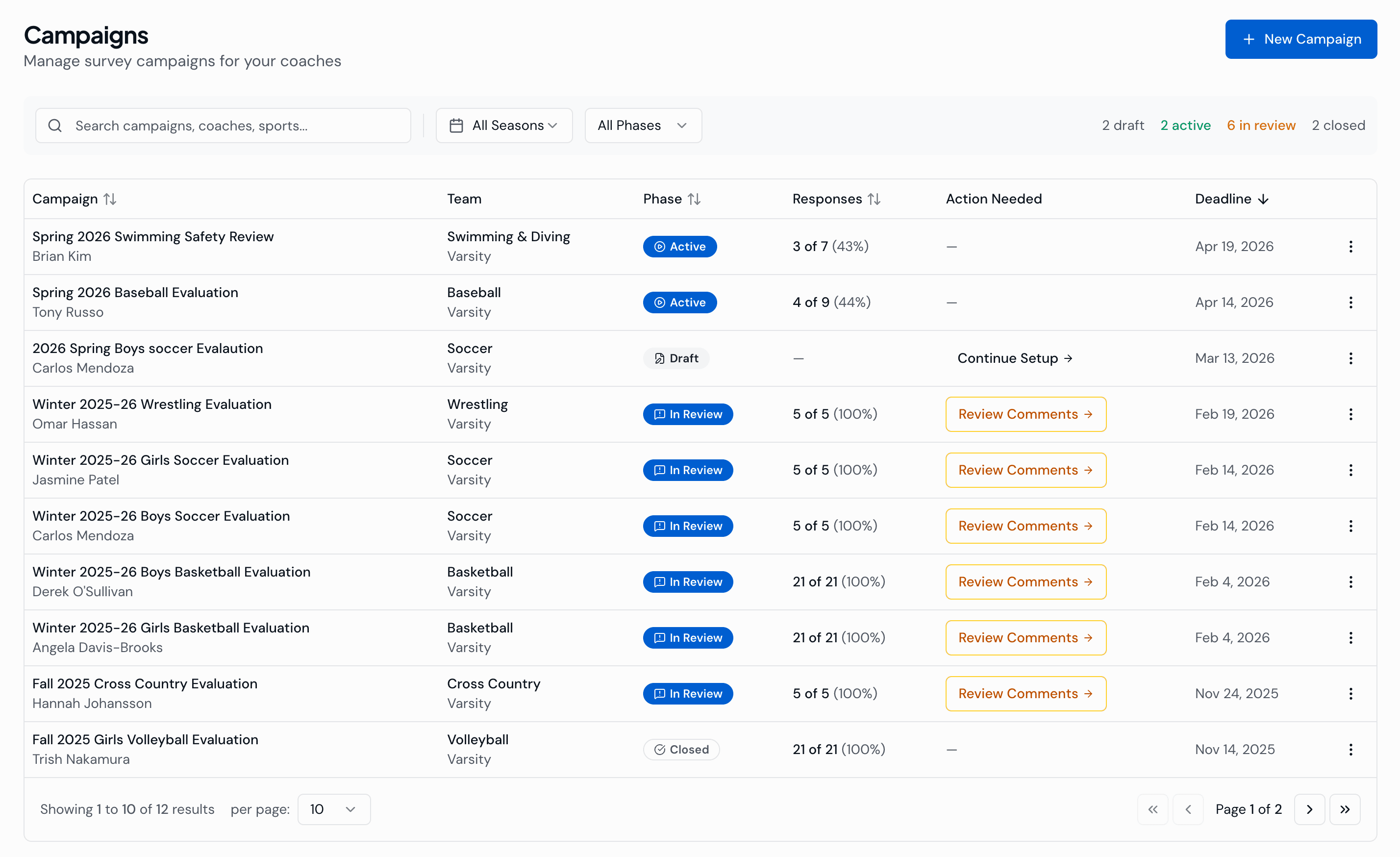
Create evaluation campaigns in 5 simple steps: name it, pick coaches, select survey, configure distribution, review and launch.
- Multiple rater groups: Student-Athletes, Parents/Guardians, Coaches, Administrators
- In-Person mode: QR code at practice, athletes complete on phones in 2 minutes with 90%+ completion rates
- Email mode: automated invitations with auto-reminders
- Self-assessment: coaches evaluate themselves for gap analysis
- Campaign lifecycle: Draft → Active → In Review → Closed
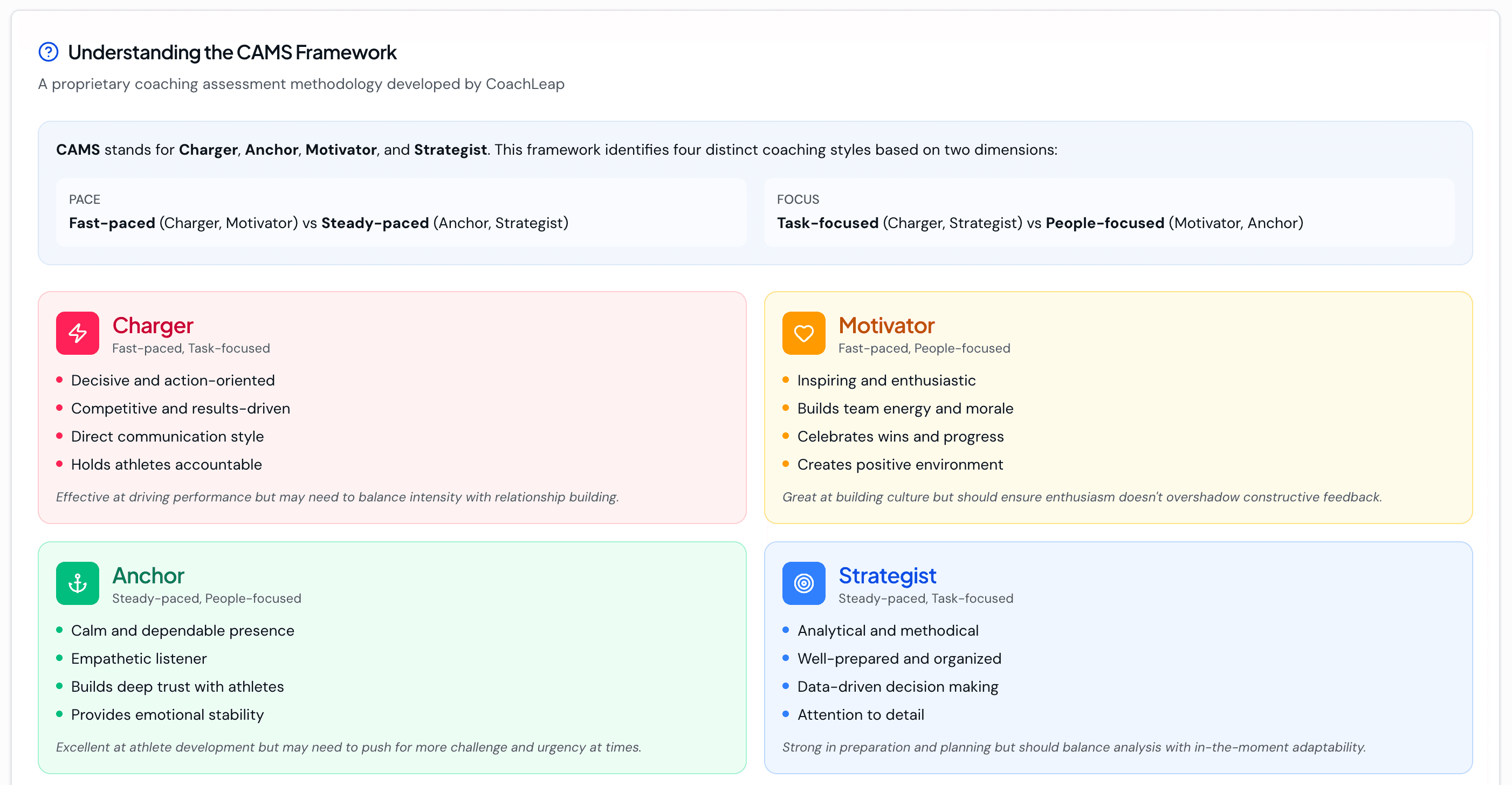
CAMS Evaluation Framework
A research-based 24-item survey across 4 coaching styles: Charger, Motivator, Anchor, Strategist. Built in, so there's no need to design surveys from scratch.
- Validated 1–5 scale (Never → Always) plus open-ended feedback
- Hybrid templates: combine CAMS with your own custom questions
- Fully custom templates for unique evaluation needs
- Ready to use out of the box. Launch your first campaign in minutes
AI Comment Review
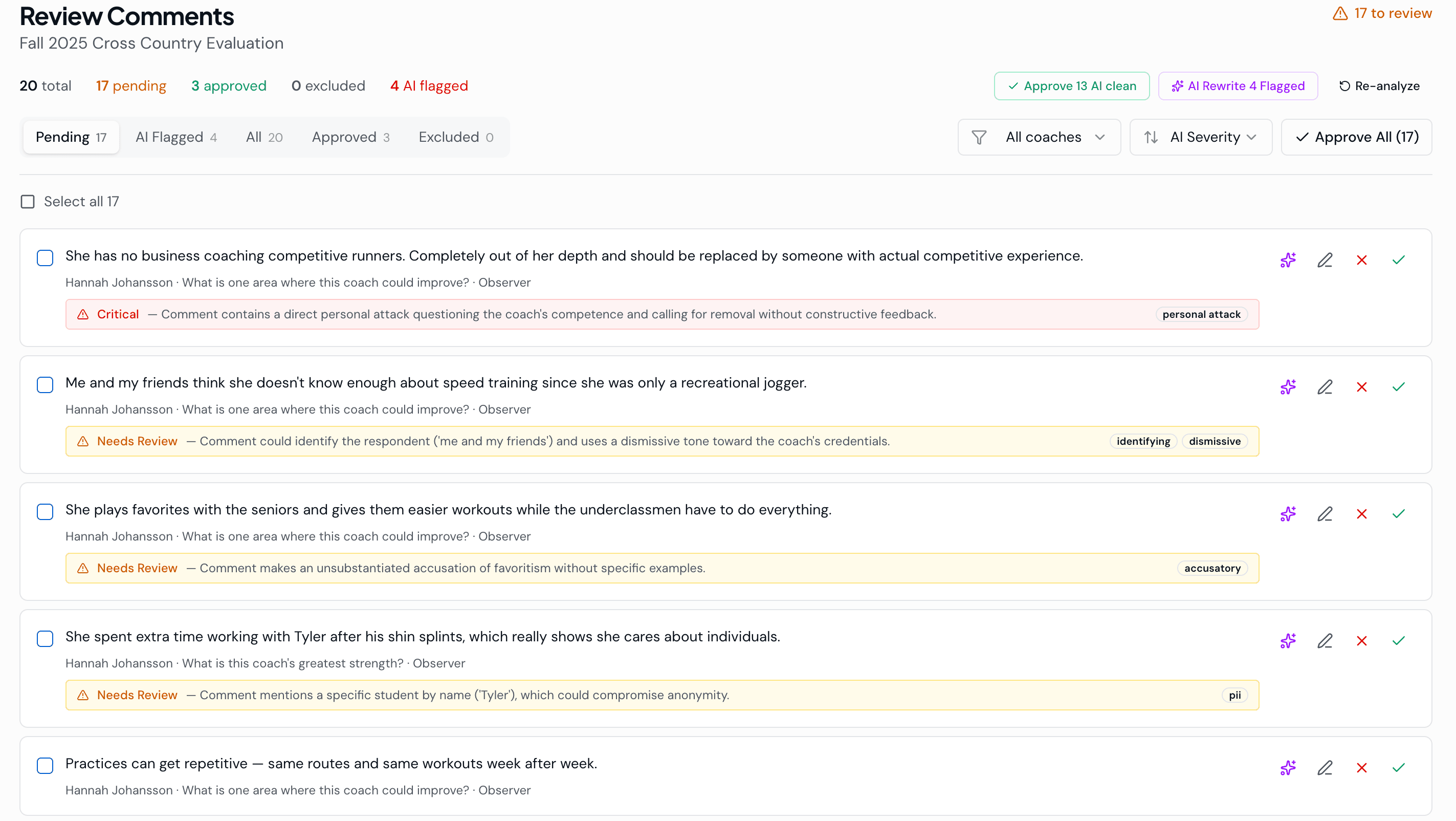
Every written comment is scanned by AI before coaches see it. Protects coaches from unfair feedback and keeps the process constructive.
- Flags personal attacks, profanity, identifying information, hearsay, and accusations
- Athletic Director approves, edits, or redacts flagged comments
- Clean comments pass through automatically
- Coaches only see constructive, screened feedback
Reports & Analytics
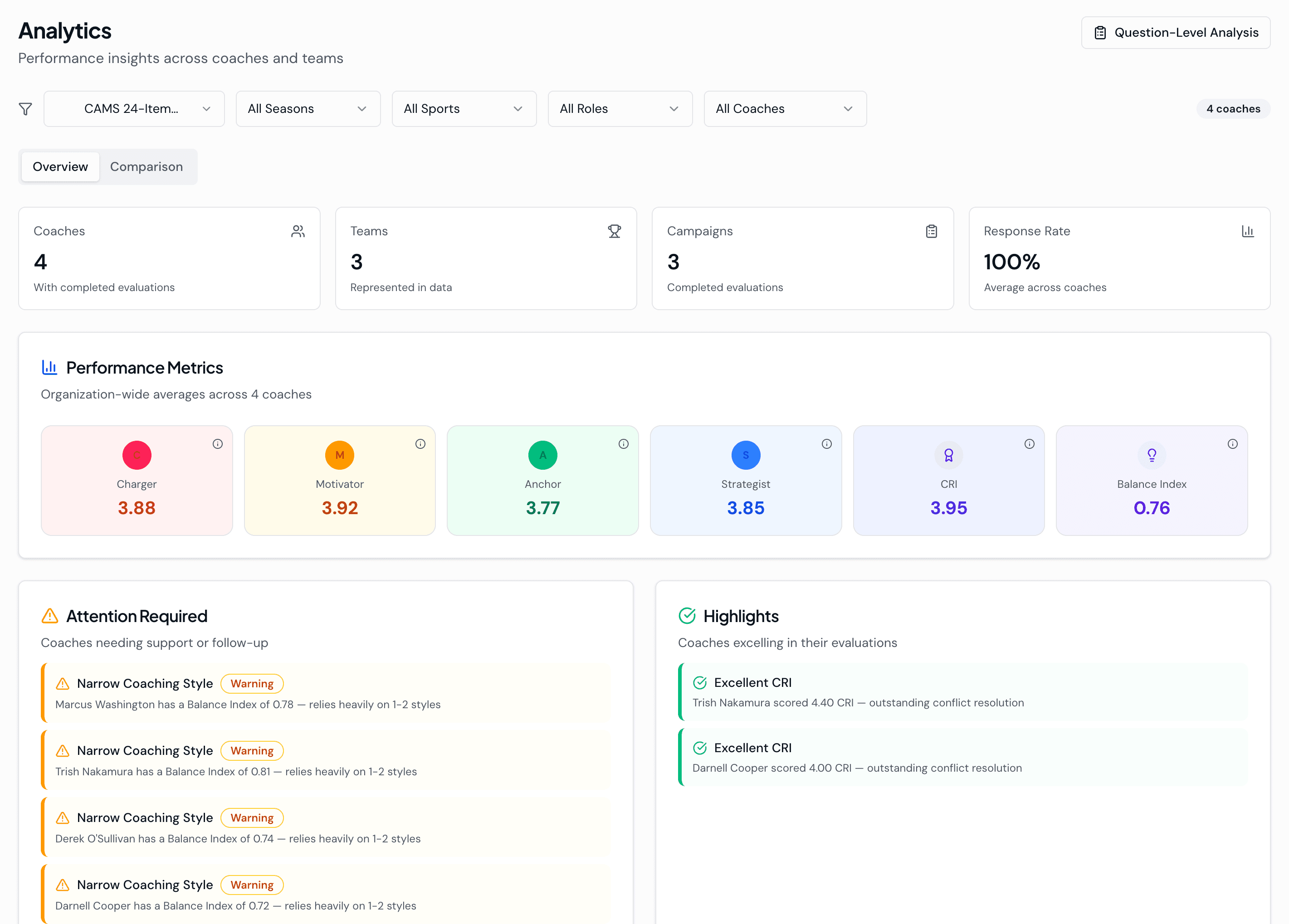
Comprehensive reporting for individual coaches and your entire program. Actionable insights, not just data dumps.
- Executive summary: Primary Style, Secondary Style, Balance Index, CRI score
- CAMS radar chart: observer vs self-assessment side-by-side, with blind spots visible
- Ratings broken down by rater group: athletes vs parents vs coaches vs administrators
- AI Coaching Insights: themes, recommendations, blind spots, strength/development areas
- Org-wide analytics: performance metrics, coach comparison, alerts
- Excel export: 5 sheets with full data breakdown
Concerns & Incidents
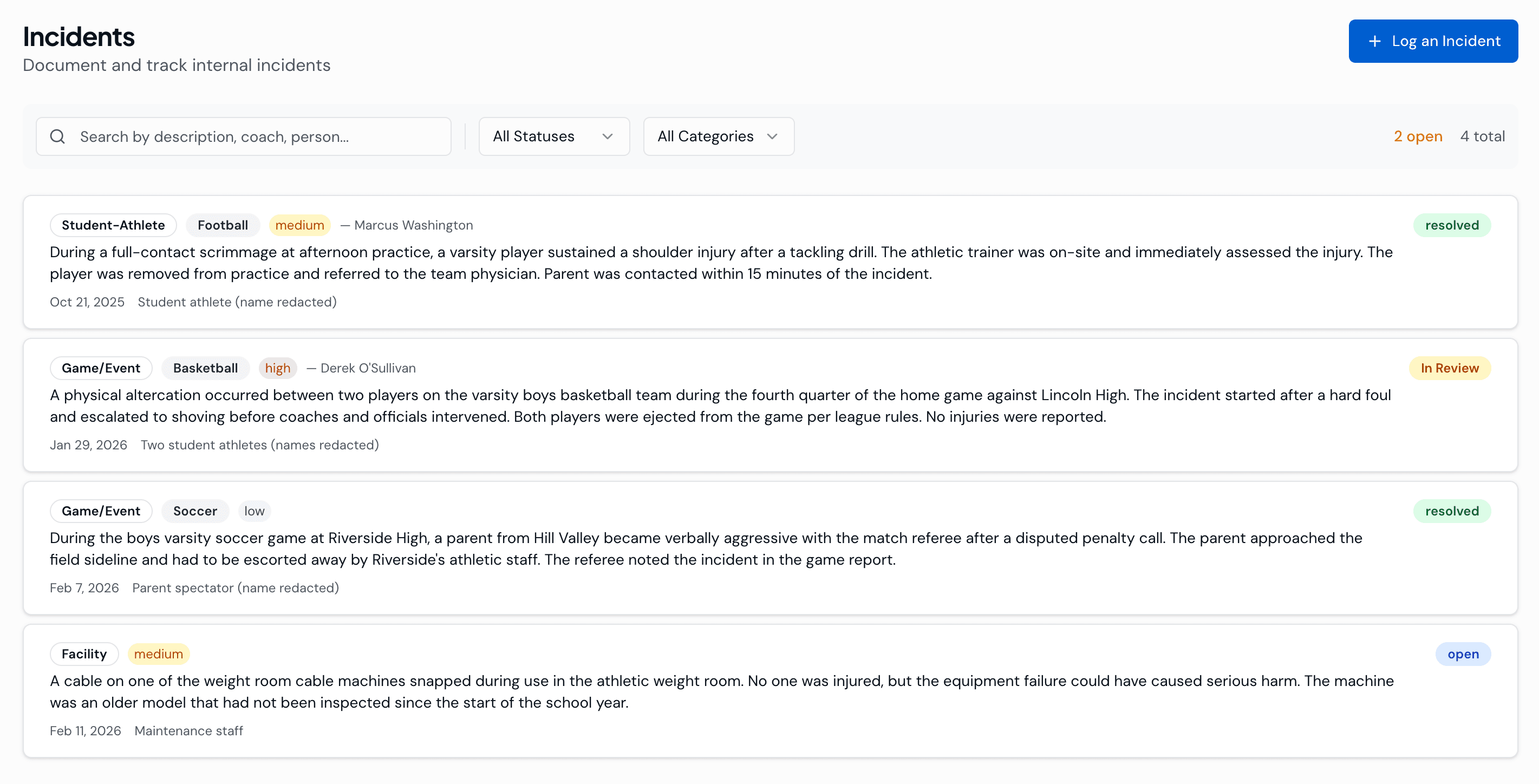
Log parent complaints, behavior concerns, and safety issues. Full timeline with documentation, searchable and tied to coach records.
- Full timeline with activity notes and attachments
- Status tracking: New → Reviewed → Resolved
- Severity levels: Low, Medium, High
- Linked to specific coaches and sports
- When the superintendent calls, you have answers, not sticky notes
AI Chat Assistant
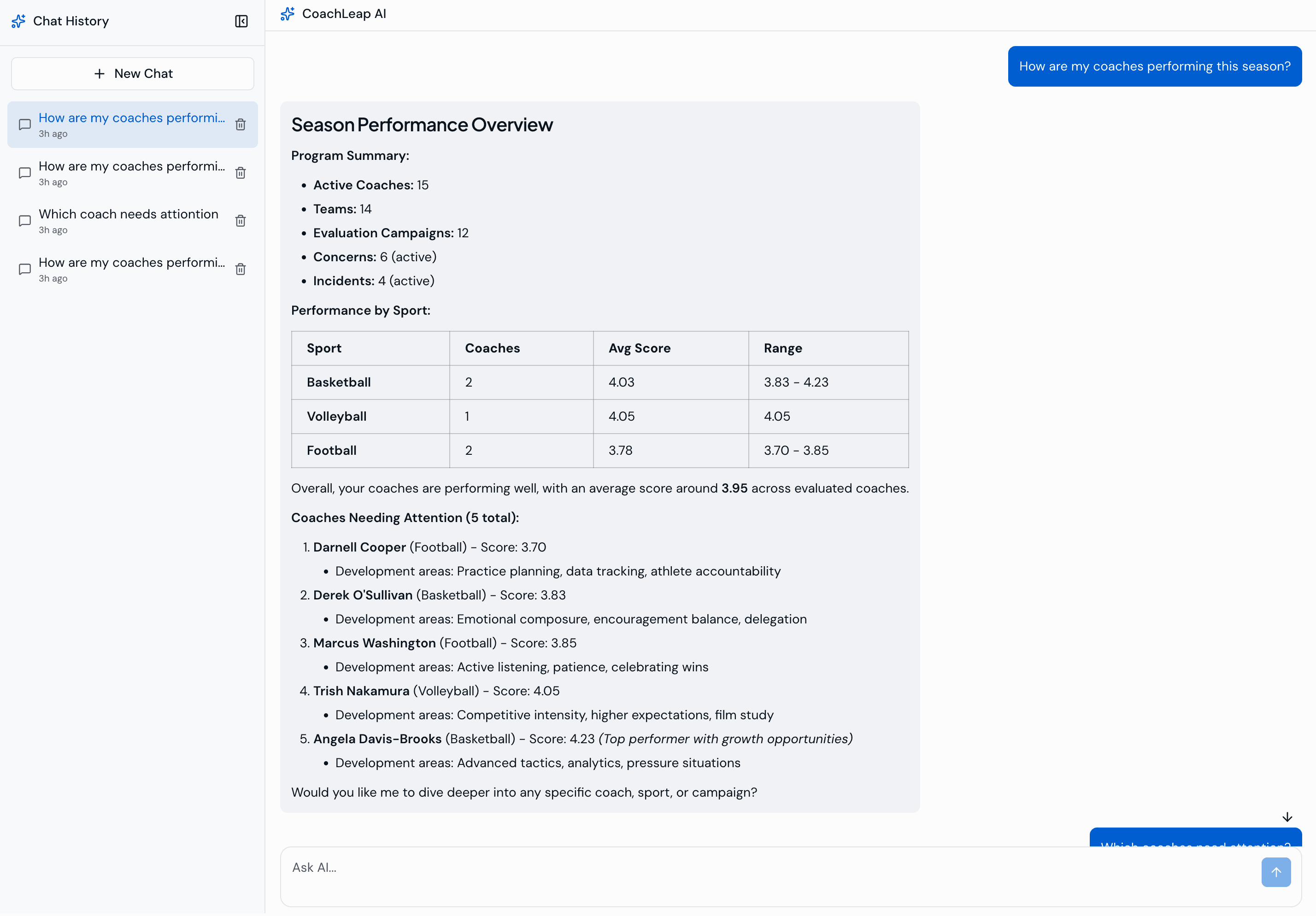
Ask anything about your program in natural language. Get structured responses with real data, no manual lookups.
- "How are my coaches performing?" Get a structured response with real data
- "Which coaches need attention?" Flags at-risk coaches and open concerns
- Pulls live data from the system in real time
- Natural language interface, no training required
Coaches & Teams
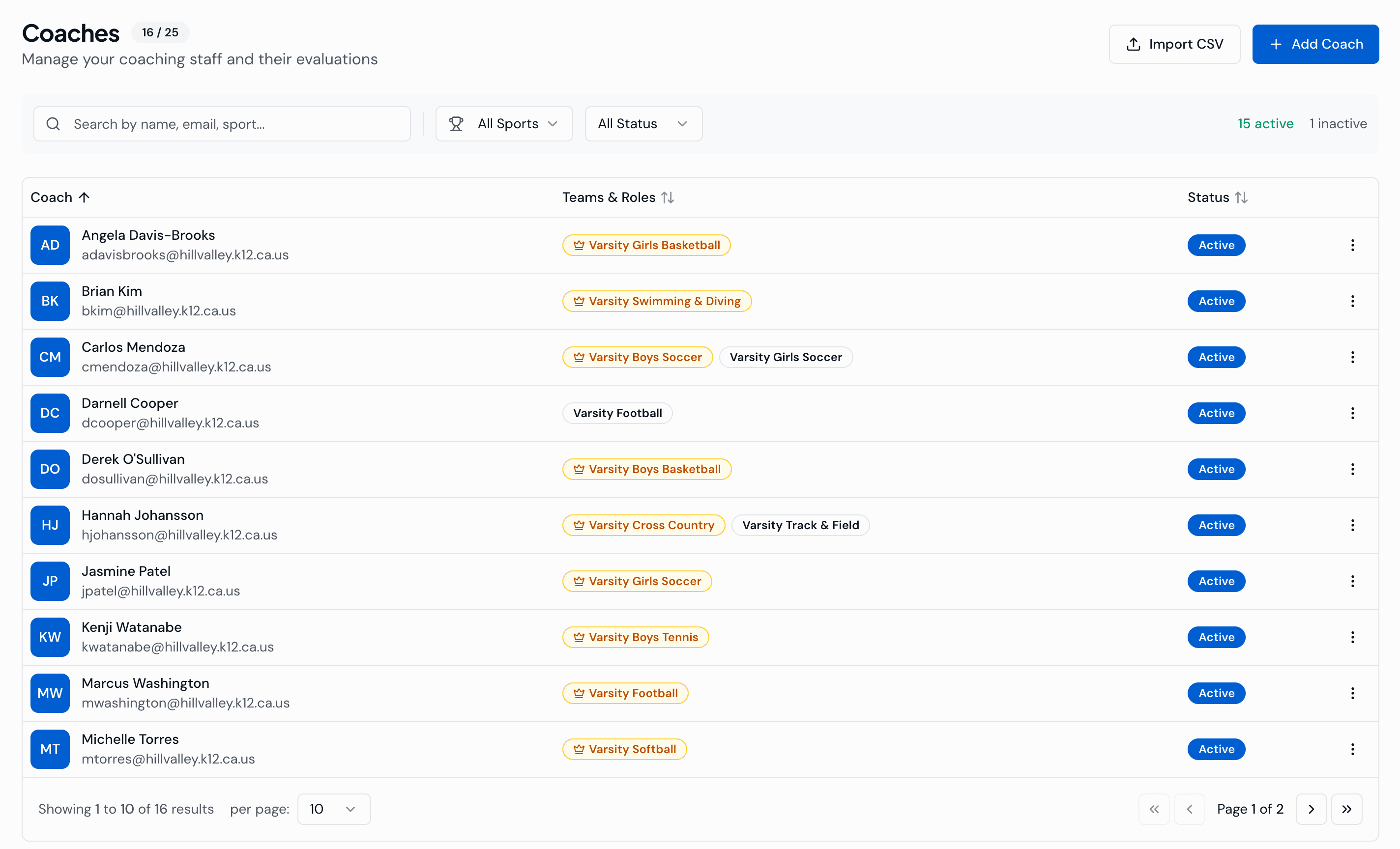
Manage your entire coaching staff and team roster. Add coaches individually or import in bulk.
- Add coaches individually or import via CSV
- Create teams with sport, level (Varsity/JV/Freshman), and category
- Assign head coaches and assistant coaches
- Coach profiles linked to reports, concerns, and incidents
Settings & Configuration
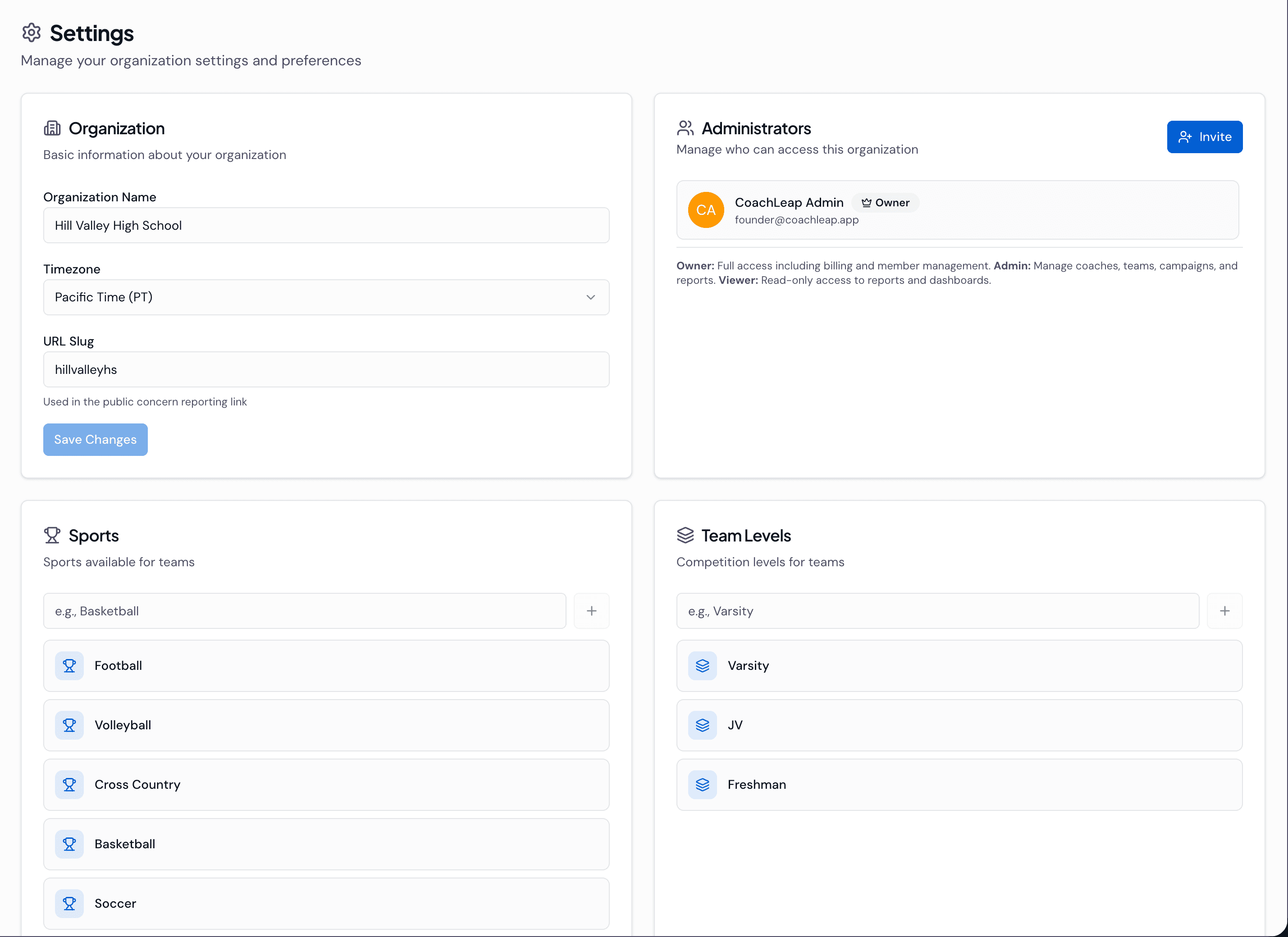
Fully customizable to match your athletic department. Sports, levels, seasons, rater groups, and templates are all configurable.
- Sports, levels, and categories, all fully customizable
- Seasons with start/end dates
- Rater groups with distribution mode configuration
- Survey template library
- Concern reporting: public link and QR code for anonymous submissions
Go deeper
Every feature in CoachLeap is built on the CAMS™ Framework, a validated, research-based model for coaching evaluation. To see how these features solve specific problems for Athletic Directors, explore our solutions: Coach Development, Compliance & Documentation, and Concerns & Safety.
Frequently Asked Questions
Yes. CoachLeap includes the built-in CAMS framework (24 research-based items), but you can also create hybrid templates that combine CAMS with your own questions, or build fully custom surveys from scratch.
Every written comment is scanned by AI before coaches see it. The system flags personal attacks, profanity, identifying information, hearsay, and accusations. You review flagged comments and decide what to approve, edit, or redact. Clean comments pass through automatically.
The Excel export includes 5 sheets: Campaign Overview, Coach Scores, Rater Group Breakdown, Question-Level Scores, and Comments. It gives you the full dataset for your own analysis or reporting needs.
No. In-Person mode uses a QR code. Athletes scan it at practice and complete the survey on their phones in about 2 minutes. No email, no account, no app download required. This is why completion rates hit 90%+.
Yes. The Concerns & Incidents feature lets you log parent complaints, behavior concerns, and safety issues with a full timeline, activity notes, and attachments. Everything is searchable, linked to specific coaches, and includes severity tracking.
Stop spending weekends on spreadsheets. Start developing your coaches.
View pricing · $3,000/year per school. Everything included.